
Anyone who works in VFX knows how quickly small problems become big ones.
A clean shot suddenly needs hours of cleanup because of one unwanted object in the frame. A scene filmed at night comes back noisy. A client asks for last-minute changes right before delivery. Most of the time, the real challenge is not creativity. It is managing all the extra work around it.
That is exactly why many VFX artists are starting to use AI tools in their daily workflow.
Not because these tools can replace artists. They cannot. What they can do is help reduce repetitive tasks that normally eat up time during post-production.
In 2026, creators are using AI tools to speed up edits, improve footage quality, clean scenes faster, and make revisions easier to handle. For freelancers and small studios especially, that extra efficiency matters.
Here are five useful AI tools for VFX artists that are genuinely helping creators work smarter.
1. Runway
Runway has become popular because it solves one of the biggest headaches in post-production: fixing distractions inside a shot.
It could be a random person walking into frame, equipment reflections, unwanted shadows, or background clutter that nobody noticed during filming.
Normally, cleaning those mistakes can take a long time. Runway helps speed things up.
Example
Imagine shooting a cinematic outdoor scene only to realize later that a parked bike ruins the background composition. Organizing a reshoot may not be realistic because of budget or scheduling issues.
Instead of rebuilding the entire shot, artists can remove the distraction much faster and continue editing.
Why creators use it
- Saves time during cleanup
- Helps speed up revisions
- Easy for beginners to understand
- Useful for short films, ads, and social content
For creators handling multiple projects at once, small time savings add up quickly.
2. Topaz Video AI
Not every project is filmed under perfect conditions. Sometimes footage comes back blurry, noisy, or softer than expected.
That can create major problems during editing and compositing.
Topaz Video AI helps improve footage quality without forcing artists into hours of manual correction work.
Creators often use it for:
- Cleaning noisy footage
- Improving sharpness
- Enhancing older video clips
- Fixing low-light recordings
- Smoothing movement
Example
An independent filmmaker shoots an emotional scene late at night, but later notices the footage looks grainy because of poor lighting conditions.
Reshooting is not possible.
Instead of abandoning the scene, they can improve the footage enough to make it usable in the final project.
Why artists like it
- Helps rescue difficult footage
- Makes lower-budget projects look cleaner
- Reduces time spent fixing video quality
- Useful for indie filmmakers and freelancers
For small creators, tools like this can prevent expensive setbacks.
3. Adobe Firefly
Creative burnout is real in post-production.
Sometimes artists spend more time searching for inspiration than actually working on the scene itself. When deadlines are close, that creative slowdown becomes frustrating.
Adobe Firefly helps artists experiment with ideas faster.
Many creators use it for:
- Exploring visual styles
- Testing different moods
- Expanding backgrounds
- Removing distractions
- Generating quick creative references
Example
A VFX artist working on a fantasy project wants the environment to feel more dramatic but cannot decide what direction to take visually.
Instead of scrolling through endless reference images online, they can quickly test different ideas and narrow down the look much faster.
That early clarity often saves hours later in production.
Why creators find it helpful
- Speeds up brainstorming
- Helps overcome creative blocks
- Useful during client presentations
- Encourages faster experimentation
Sometimes the hardest part of a project is simply getting unstuck.
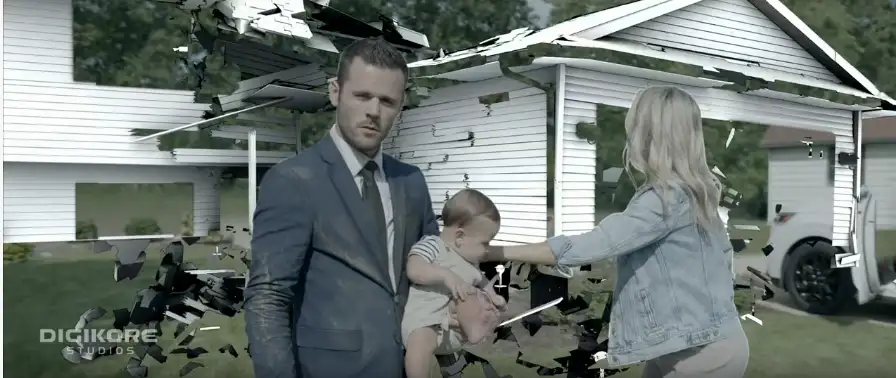
4. Wonder Studio
Character-based VFX work can feel intimidating for smaller teams. Adding digital characters into live-action footage usually requires a lot of time and effort.
Wonder Studio helps simplify part of that process.
It allows creators to place digital characters into scenes more easily, making larger ideas feel more achievable for independent filmmakers.
Example
A small production team wants to create a sci-fi short film featuring a robotic character interacting with actors in real locations.
Traditionally, this could feel too difficult for a small crew to manage efficiently. Wonder Studio helps reduce some of that pressure and makes experimentation easier.
Why creators are interested in it
- Makes ambitious projects more accessible
- Helps smaller teams work faster
- Encourages creativity
- Reduces production stress
For indie creators, accessibility is often just as important as quality.
5. Descript
Modern creators rarely work on just one type of content anymore. Alongside VFX work, many artists also edit interviews, promotional videos, podcasts, voiceovers, and behind-the-scenes content.
Descript helps make those editing tasks easier to manage.
It is commonly used for:
- Dialogue cleanup
- Voice corrections
- Subtitle creation
- Quick edits
- Organizing spoken content
Example
You finish editing a behind-the-scenes video and suddenly notice someone misspoke during an important section.
Normally, fixing that mistake could slow the entire project down. Descript helps make those corrections faster and less frustrating.
Why creators use it
- Speeds up revisions
- Makes editing smoother
- Useful for multi-platform content
- Helps creators handle larger workloads
Small edits may seem minor, but they consume a surprising amount of production time.
Why These AI Tools Matter
The demand for content keeps growing. Clients expect faster delivery, audiences expect higher quality, and creators are expected to manage tighter deadlines than ever before.
That pressure is one reason AI tools are becoming part of modern VFX workflow systems.
These tools are not replacing creativity. They are helping artists spend less time on repetitive fixes and more time improving the final result.
The most important parts of VFX still come from people:
- Storytelling
- Visual style
- Emotion
- Timing
- Creative decisions
AI simply helps reduce the workload surrounding those creative choices.
For freelancers, filmmakers, and small studios, that efficiency can make a huge difference.
Frequently Asked Questions
Which AI tool is easiest for beginners?
Runway is often considered beginner-friendly because it simplifies tasks like object removal and video cleanup.
Can AI fully replace VFX artists?
No. AI tools can assist with repetitive tasks, but creative direction and artistic judgment still depend on human artists.
Are these tools useful for freelancers?
Yes. Many freelancers use AI tools to speed up revisions, save time, and handle more projects efficiently.
What is the biggest advantage of AI in VFX?
The biggest benefit is workflow efficiency. Artists can spend less time fixing technical issues and more time focusing on creativity.